
A little structure.
A lot more focus.
A free study timer, with room for your subjects, plans, and progress. Made for students and board exam review.
Free to use. No account needed for the timer.
48,000+ completed study sessions.
Saved account activity as of September 5, 2026. Guest sessions excluded.
25:00
A study block, then a break.
Preview only. Study activity isn't saved.
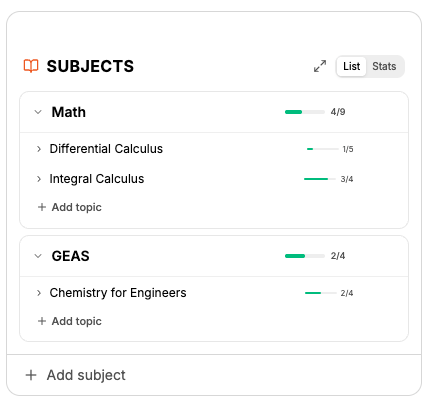
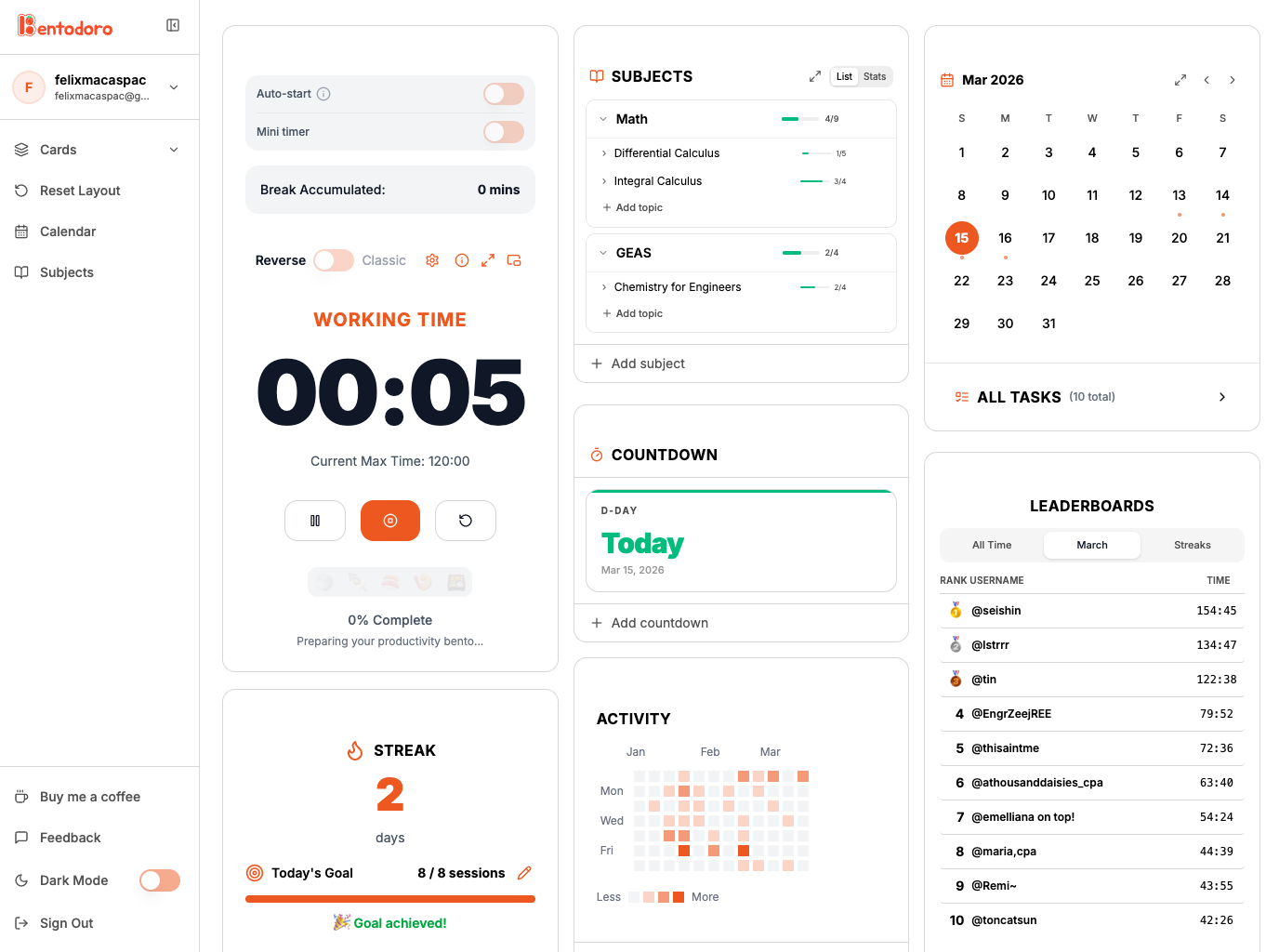
Your study day, a little more together.
Find a rhythm that fits your study day
Classic counts down from 25 minutes by default. Reverse counts up and earns breaks as you work. You can adjust the work and break settings in either mode.
See the work you put in
Sign in to see your saved study activity on a heatmap. Check which days you studied and how much time you spent, then use that history to plan the week ahead.
Know what to review next
Add a task to a date, give it a subject tag, and mark it complete when you finish. You can move tasks when your plans change. Your calendar is saved with your account.
Keep your notes in view
On supported browsers, Mini timer opens a small Picture-in-Picture window. Keep it beside a PDF, practice questions, or a lecture while the session runs.
Study sessions on Bentodoro
As of September 5, 2026
1,400+
Registered profiles
39,000+
Recorded study hours
48,000+
Study sessions completed
68.5%
Saved tasks marked complete
Totals from saved account activity, rounded down to milestones. Study hours exclude breaks. Task completion is 3,907 of 5,703 saved tasks. Guest sessions are not included.
What people are studying
Bentodoro started with Philippine board exam review. People also use it for university coursework, certifications, and self-study. These are the ten most common study purposes people selected, as of September 5, 2026.
What people say about Bentodoro
A few notes submitted as testimonials in the app. Shared anonymously; excerpts keep the original wording.
“It became a part of my daily routine, parang sya yung ignition ng review ko for the day.”
“Thank you very much for implementing the feature I suggested! The pop-up window helps a lot :>>”
“Well i can say that i can focus more on because of the music vibe and it is very friendly to use, kudos sir!”
I built it for my girlfriend's board exam review.
She needed a place to keep her study sessions, subjects, and review schedule together. That became the first version of Bentodoro.
I've kept working on it since then. You can use the timer on its own, or sign in when you want to keep a record of your study days.
Felix Macaspac, creator of Bentodoro · About the project
Top 7
She placed in the top seven in the October 2025 Electronics Engineering board exam.
How to start a study session
Pick something specific, like ten practice questions or one chapter. Have your notes ready before you start so you can spend the session studying.
Read the study guide- Choose a mode. Classic counts down from 25 minutes by default. Reverse counts up and earns a break based on how long you work.
- Press Start. Work on your task. Use Pause if you need to step away, then Resume when you come back.
- Take a break. When your work block ends, leave the task for a few minutes. Before starting again, decide what still needs attention.
Questions about Bentodoro
Is Bentodoro free?
Yes. Both timer modes and the study-tracking features are free to use.
Do I need to create an account?
You can use the timer without one. Sign in for saved activity, streaks, subjects, and your task calendar.
Does it work on my phone?
Bentodoro works in desktop and mobile browsers. Keep the page open during a session. Mini timer support and background behavior depend on your browser.
What is Reverse Pomodoro?
In Bentodoro, Reverse mode counts up from zero while you work. You earn break time based on completed work minutes. The study guide shows the break ranges.